Teaching Kids About Money: 15 Activities to Do at Home
Fifteen real-life money activities for kids, grouped by earning, spending, saving and giving, with ages and time needed, including tap-to-pay and in-app purchases.
By Famiyo Editorial Team4 min read
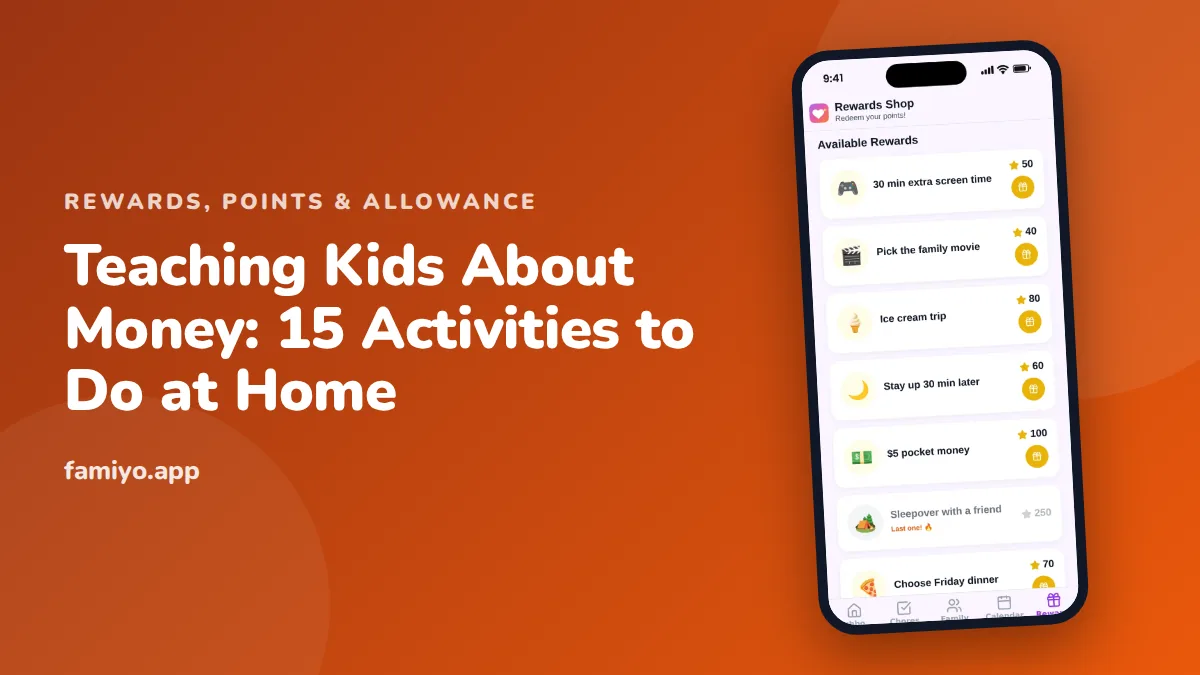
You don't need a curriculum to teach money. You need a few small, repeatable moments where your kid handles something with a price on it. These 15 activities are built around ordinary life: a grocery run, a birthday gift, an app purchase, a week of chores. They sit in four groups: earning, spending, saving and giving. Do one or two a week and skip anything that feels forced.
Earning (activities 1 to 4)
- Add a paid extra job. Keep the basics unpaid and offer a small paid job beyond them: washing the car, raking leaves, cleaning out the garage. The usual range is $0.25 to $1 for a small job and $2 to $5 for a big one. Our list of extra chores kids can do for money has ideas by age. Ages 7 and up.
- Write a job application. A 10-year-old who wants to take on dog walking writes a three-line pitch: who they are, what they'll do, what it costs. It's silly and it works. Ages 9 to 13.
- Track hours and pay. Keep a simple sheet: date, job, minutes, amount. At the end of the month, work out the hourly rate together. They may discover that raking for 20 minutes beats washing the car for an hour. Ages 10 and up.
- Explore real jobs for their age. Check what's legal and realistic with our guides to jobs for kids under 13 and how to make money as a kid, then pick one thing to try. Ages 10 to 14.
Spending (activities 5 to 8)
- Hand over the payment. At the store, give your child the cash or the card and let them pay. Then show them the receipt. Kids rarely connect a tap or a swipe with a cost, so make it visible. Ages 5 and up.
- Run a week of tap-to-pay awareness. For seven days, say the price out loud every time you pay with a phone or card, and let your child say how much is left of a pretend budget. It's a small habit that makes digital money feel real. Ages 6 to 12.
- Set an in-app budget. If your child plays games with in-app purchases, give a fixed monthly amount, say $5, or a number of points. When it's gone, it's gone until next month. They'll start asking whether a skin is worth a week of waiting. Ages 8 to 14.
- Compare two prices. Before a purchase, find the same item at two stores or two sizes and have your child do the math. A calculator on the phone is fine. Ages 7 to 12.
Saving (activities 9 to 11)
- Pick one goal and draw it. Choose something they truly want that costs about 5 to 10 times their weekly money, and draw a thermometer on paper with the price at the top. Color it in each week. Ages 5 to 10.
- Try the wait week. Ask your child to wait seven days before any non-essential purchase over $5. Write it on a sticky note on the fridge. Many wants fade by Wednesday, which is exactly the lesson. Our guide to delayed gratification for kids goes deeper. Ages 7 to 14.
- Match their savings. Offer to add 10 cents for every dollar they save toward the goal. It's a gentle introduction to interest and gives a reason to hold out. Ages 8 to 13.
Giving and planning (activities 12 to 15)
- Give a share. Use the spend, save, give split: for example 50%, 40% and 10%. Let your child pick where the give share goes, such as an animal shelter or a food drive. Ages 5 and up.
- Read a grocery receipt together. Circle three items and ask "Did we need that?" and "Was it worth that price?" No lecture, just curiosity. Ages 8 to 14.
- Plan one family purchase. Let your child research a small family item, like a board game or a picnic basket, compare options and present them at dinner. Ages 9 to 14.
- Review a subscription. Show your teen the family's streaming or app subscriptions and what they cost per month and per year. Ask which ones are worth it. Ages 12 and up.
Which activities for which age
| Age | Start with | Add later |
|---|---|---|
| 4-6 | 5, 9, 12 | 8 |
| 7-9 | 1, 7, 8, 10 | 11, 13 |
| 10-12 | 2, 3, 6, 14 | 4, 15 |
| 13-14 | 4, 15, 13 | 3, 14 |
Making it a habit with points
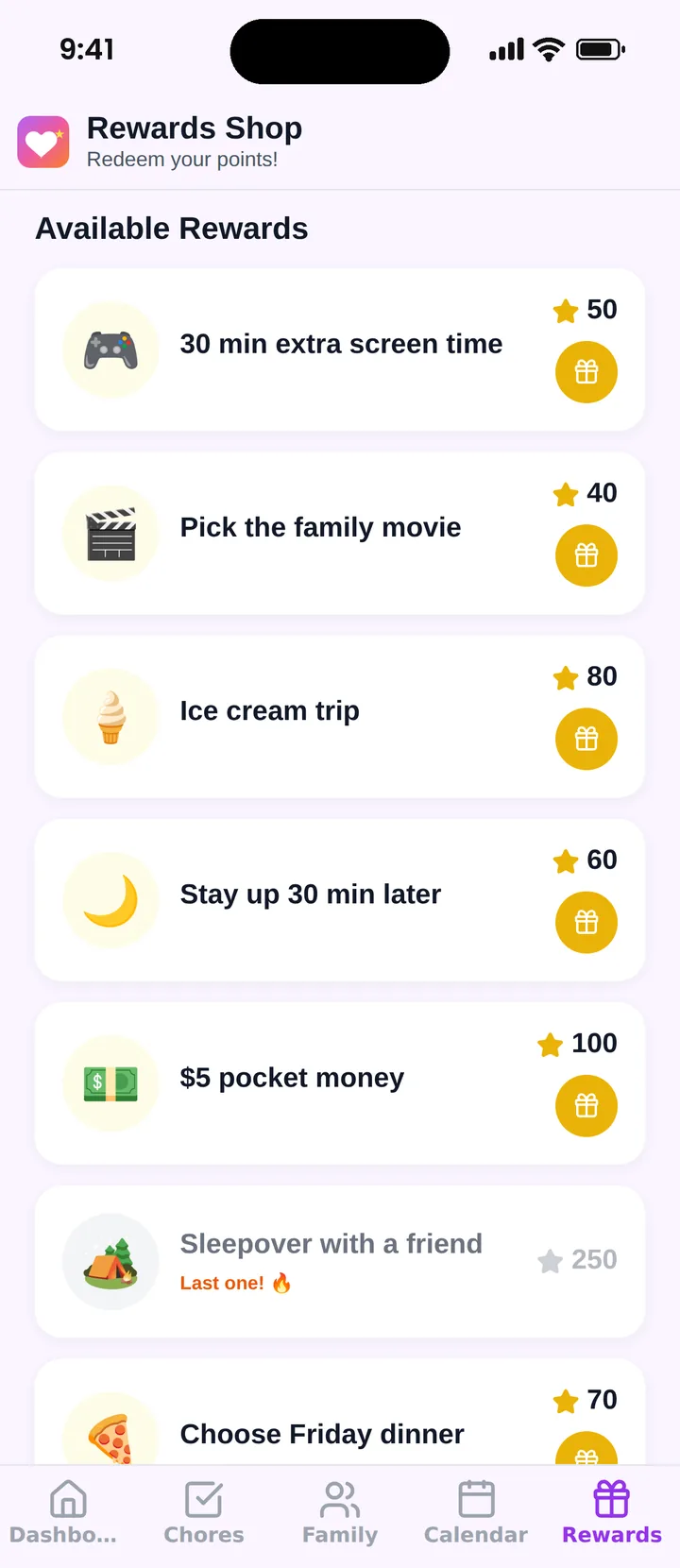
Activities work best when your child has something real to manage in between. Famiyo is a free family app for iPhone and Android that combines a shared family calendar, chores with points and a rewards shop; kids join with a code, no email needed. Kids earn points for chores and then spend them in the rewards shop, where you decide the rewards and what each costs, from extra screen time to a day out. Pocket money can be one of the rewards (for example, 100 points for $1), and the money itself is handed over outside the app. Our list of the best allowance apps for kids compares your choices.
For something more playful, try the money games for kids we've collected.
Start with two
Pick one earning activity and one saving activity this week. Check in after two or three weeks, and if the habit stuck, add a spending one.
Frequently asked questions
At what age should I start teaching kids about money?
Around age 4 or 5, when kids can count and understand that things cost something. Start with coins, simple choices and waiting for a reward. By 8 to 10 you can add budgets, saving goals and comparing prices.
How do I teach kids about digital money like tap-to-pay and in-app purchases?
Make the invisible visible. Show the receipt after a tap, let them see the balance drop, and set a monthly game budget they must plan around. Kids who only see a card or a button don't connect it with a limited amount.
Do kids need real money to learn about money?
Real coins and bills help younger children, but points, tokens or play money work if the choices feel real. What matters is that the amount is limited and the child has to decide, and live with the decision.
How long should each money activity take?
Ten to twenty minutes is enough. Short, regular sessions beat a long lecture. Let your child do the counting, the choosing and the talking, while you ask questions and keep quiet about the right answer.
Try Famiyo With Your Family
Chores with points, a rewards shop for kids and one shared family calendar. Set it up in a couple of minutes.



Free to download • No credit card required • Available on iOS & Android