Chore Chart Template in Google Docs and Sheets
Build a chore chart in Google Docs or Sheets in 15 minutes: a ready layout, the checkbox and point-total formulas, and a free printable version to start with.
By Famiyo Editorial Team4 min read
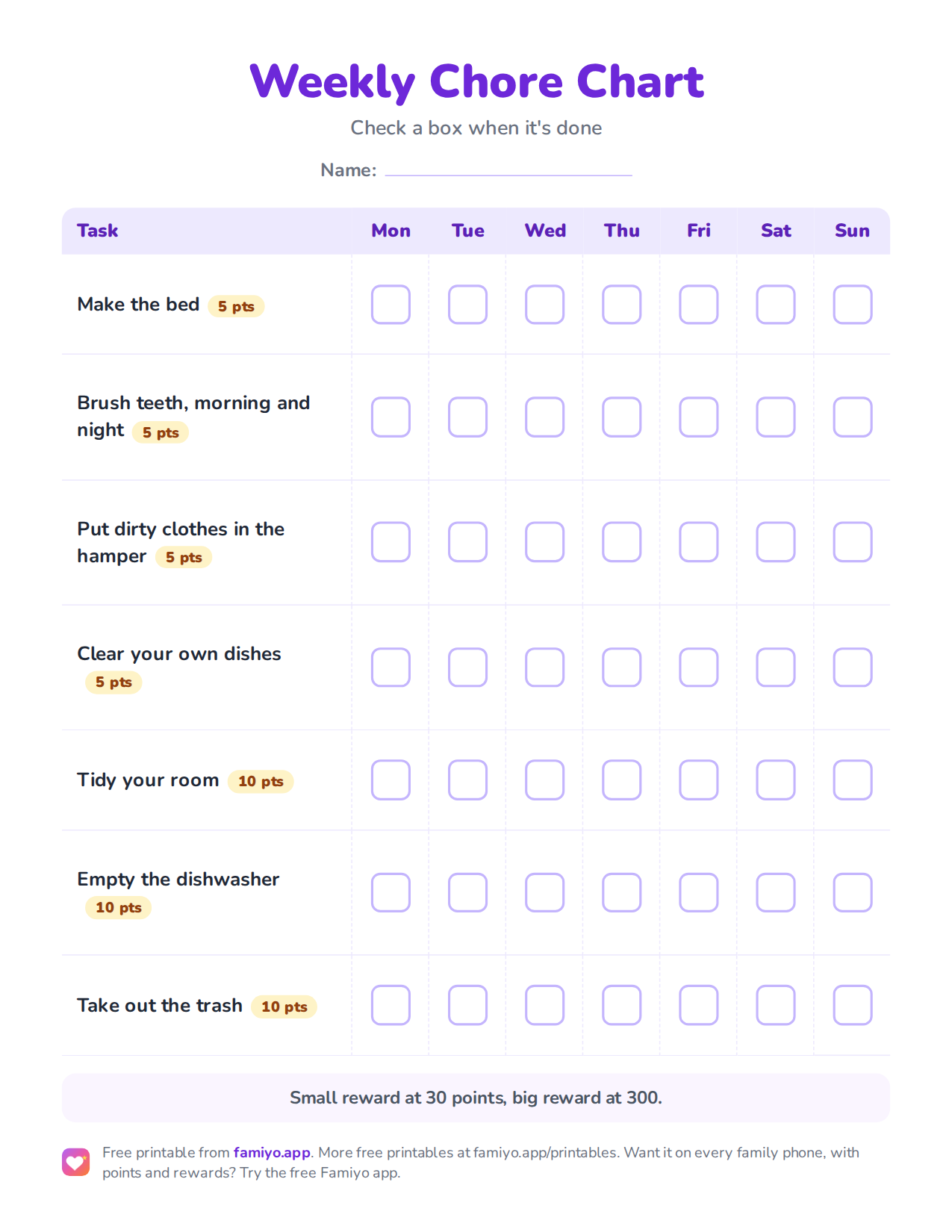
Free printable
Weekly Chore Chart
A weekly chart on one US Letter page. Download the PDF to print it, or save the image to use it on a tablet or in a document.
Free for home, classroom and nonprofit use, see the license. More free printables.
A chore chart in Google Docs or Sheets costs nothing, takes about 15 minutes, and can be copied for every child in the house. This page gives you the exact layout, the two formulas worth knowing, and a printable you can use today if you would rather skip the spreadsheet.
Docs or Sheets: which one to pick
The two tools solve different problems, so decide how the chart will be used before you open either.
| Question | Google Docs | Google Sheets |
|---|---|---|
| Will you print it and use a pen? | Best choice | Works, needs page setup |
| Will kids tick it on a phone or tablet? | Awkward | Best choice |
| Do you want points added up for you? | No | Yes |
| Do you want one chart per child in one file? | Clumsy | Easy, one tab per child |
| Time to build | About 10 minutes | About 15 minutes |
If you are unsure, build the Sheet. You can always print it.
The layout that works
Keep the grid boring. Chores go down the left, days go across the top, and every cell is a single tick.
| Chore | Points | Mon | Tue | Wed | Thu | Fri | Sat | Sun |
|---|---|---|---|---|---|---|---|---|
| Make the bed | 5 | box | box | box | box | box | box | box |
| Feed the dog | 5 | box | box | box | box | box | box | box |
| Clear your dishes | 5 | box | box | box | box | box | box | box |
| Tidy your room | 10 | box | box | box | box | box | box | box |
| Empty the dishwasher | 10 | box | box | box |
Two things make this layout hold up. First, leave empty cells where a chore does not apply that day, so nobody feels they failed at something that was never assigned. Second, put the points in their own column rather than in the chore name, because formulas can only read a number sitting alone in a cell.
The points follow the usual sizing: 5 for a task of 2 to 5 minutes, 10 for 10 to 15 minutes, 20 for a job of 30 minutes or more. If you need ideas for what to put in the rows, our list of chores for 6-year-olds is a good starting point for early readers.
Building it in Google Sheets, step by step
- Open a new Sheet and name the first tab after your child.
- Type the headers in row 1 (Chore, Points, then Mon to Sun) and your chores in column A.
- Type a point value for each chore in column B.
- Select C2:I6 (the day cells), open Insert, and choose Checkbox.
- In row 8, type "Total" in column A. In C8 enter
=SUMPRODUCT($B$2:$B$6, C2:C6)and drag it across to I8. Each day now totals the points of the ticked boxes. - In J8 enter
=SUM(C8:I8)for the week. - Select the checkbox range, choose Format, then Conditional formatting, pick "Custom formula is" and enter
=C2=TRUE. Set a green fill so finished chores light up. - Use Share to give each child edit access to their own tab, or send the link to a family tablet.
The SUMPRODUCT formula works because a ticked box counts as 1 and an empty box counts as 0. Multiply by the points and you get what was earned that day.
Building it in Google Docs
Insert a table with 9 columns and as many rows as you have chores plus one. Type the same headers and chores, shade the header row, and turn on "Repeat as header row" if the chart ever runs onto a second page. Leave the day cells empty, print the page, and draw the boxes with the Special characters tool (search for "ballot box") if you want clean squares. Docs cannot add up points, so write the weekly total by hand at the bottom.
Keeping the chart alive past week two
Charts fail for dull reasons. Nobody sees them, nobody updates them, and the rewards stop mattering. A few habits cut that down.
Pick one fixed spot for the review, such as Sunday after dinner, and spend five minutes adding up the week with the child. Decide the reward menu before the week starts: 30 to 50 points for 15 extra minutes of screen time, 100 for choosing the family movie, 300 to 500 for a day out. Give a new chart 2 to 3 weeks of steady use before you judge it or change it. And cap the rows. If you are splitting jobs between siblings, a chore chart for 2 kids shows how to keep the load even. For the wider rules on what makes a chart last, see chore charts that actually work.
Where an app replaces the spreadsheet
Famiyo is a free family app for iPhone and Android that combines a shared family calendar, chores with points and a rewards shop; kids join with a code, no email needed. It does the parts a spreadsheet makes you do by hand. A chore can repeat daily or weekly, so you never retype the grid. Each child can earn their own number of points for the same task, kids tick their own chores (or you approve them), and the totals update on every phone at once. Kids get a notification when a task appears, and you get one when it is done.
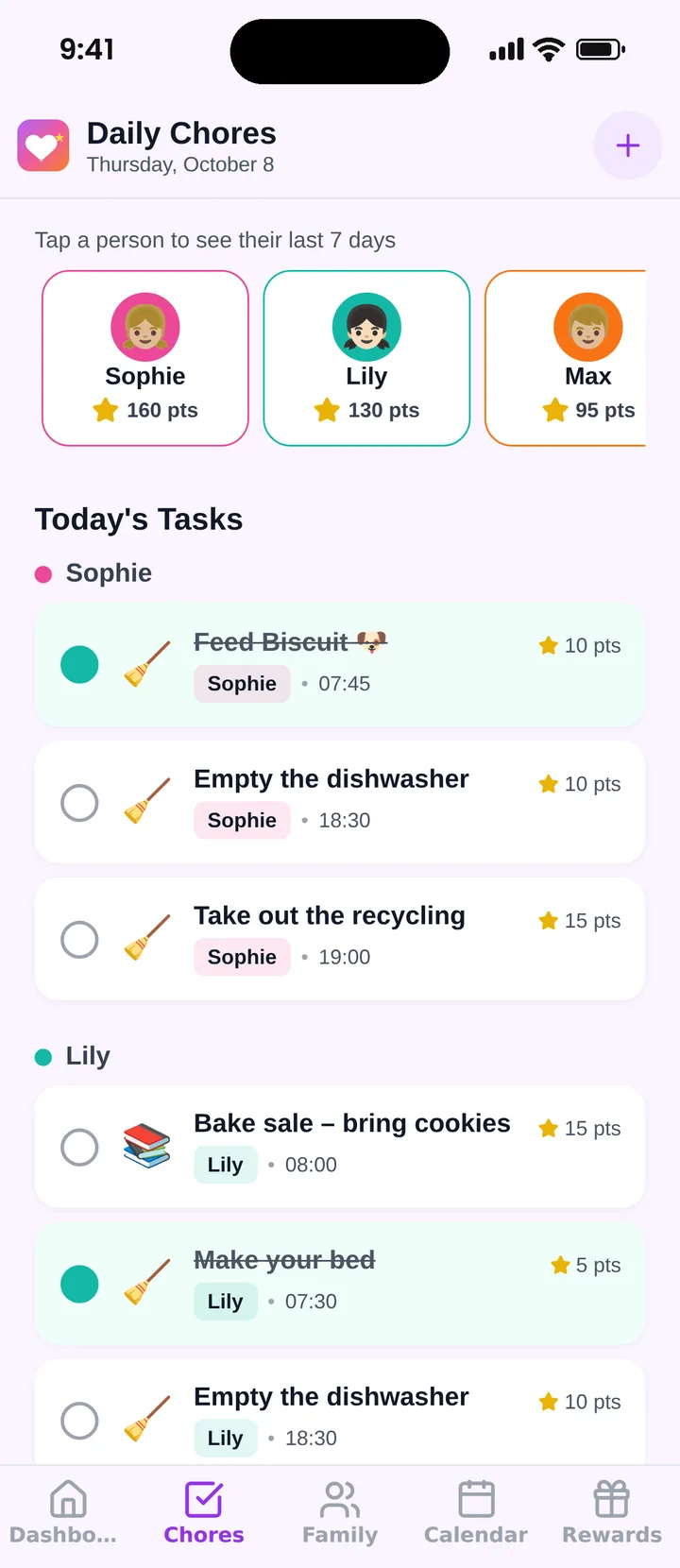
The free plan covers up to 3 family members and 1 repeating task. If you want to compare options, see our list of the best chore chart apps.
Start with the printable below this week, and move to Sheets only if you find yourself wanting the automatic totals.
Frequently asked questions
Should I use Google Docs or Google Sheets for a chore chart?
Use Docs if you will print the chart and tick it with a pen. Use Sheets if kids will check boxes on a phone or tablet, or if you want points added up automatically. Sheets does more, Docs is simpler to format.
How do I add checkboxes in Google Sheets?
Select the cells for the week, open the Insert menu and choose Checkbox. Each cell now holds TRUE or FALSE. Copy the checked cells down the rest of the grid, and the same boxes appear everywhere you paste.
How do I total points in a Google Sheets chore chart?
Put each chore's points in column B. Beside the week, use =SUMPRODUCT(B2:B8, C2:C8) for one day, where column C holds the checkboxes. TRUE counts as 1 and FALSE as 0, so only finished chores add points.
How many chores should go on a kids chore chart?
Start with 2 to 3 daily tasks for preschoolers and 3 to 4 for school-age kids, then add one weekly big job from about age 8. A chart with more than 8 rows usually stops getting checked.
Try Famiyo With Your Family
Chores with points, a rewards shop for kids and one shared family calendar. Set it up in a couple of minutes.



Free to download • No credit card required • Available on iOS & Android